CART
0
YOUR CART
A Brand PC is a pre-assembled desktop computer manufactured by a recognized computer brand such as HP, Dell, Lenovo, ASUS, Acer, MSI, and Gigabyte. Unlike a custom-built desktop, a brand PC comes with factory-selected components, a professionally assembled system, and manufacturer warranty coverage. It is a convenient choice for home users, office professionals, businesses, educational institutions, and organizations looking for a ready-to-use desktop computer.
The brand PC price in BD depends on several factors, including the brand, processor model, processor generation, RAM capacity, storage type, graphics capabilities, form factor, and included accessories. Entry-level brand PCs are suitable for everyday office and home computing, while higher-performance models are designed for multitasking, programming, professional applications, and demanding workloads.
A brand desktop PC is a complete computer system designed for users who prefer a ready-made solution from an established manufacturer. These computers generally come with a pre-installed motherboard, processor, RAM, storage, power supply, and other essential components.
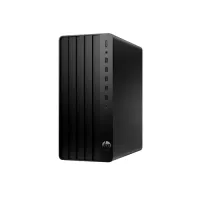
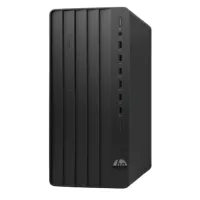
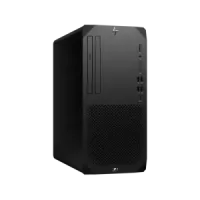
Depending on the model, a brand desktop may include a tower, mini tower, small form factor, or compact desktop design. Some packages may also include a keyboard and mouse, while monitors are sold separately or included in selected configurations.
Before purchasing a brand desktop PC, check its processor, RAM, storage, connectivity, upgrade options, operating system, and warranty coverage.
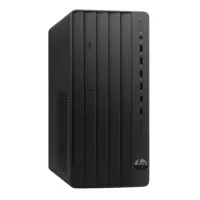
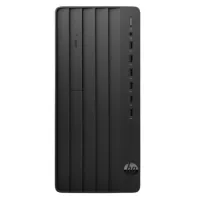
HP brand PCs are designed for home users, office professionals, businesses, and institutional environments. HP offers different desktop product families, including ProDesk, EliteDesk, Pro Tower, and other desktop configurations.
Depending on the model, HP desktop computers can feature Intel Core or AMD Ryzen processors, DDR4 or DDR5 RAM, SSD storage, and integrated or dedicated graphics.
HP brand PCs are suitable for office applications, business software, online meetings, educational activities, and professional computing. Check the exact model specifications to ensure it meets your requirements.
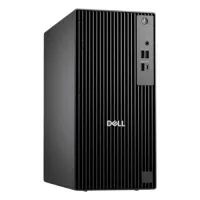
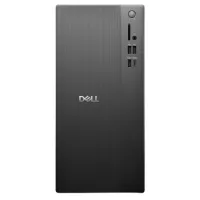
Dell brand PCs offer desktop computing solutions for personal use, offices, businesses, and professional environments. Dell desktop product families include OptiPlex and other business-oriented desktop configurations.
Depending on the model, Dell desktops may feature Intel Core processors, DDR4 or DDR5 memory, M.2 NVMe SSD storage, integrated graphics, and different connectivity options.
Dell brand PCs are commonly considered for office productivity, accounting, business applications, multitasking, and institutional use. Before purchasing, compare the processor, memory, storage, form factor, and available upgrade options.
Lenovo brand PCs are designed for everyday computing, business productivity, educational environments, and professional applications. Popular Lenovo desktop families include ThinkCentre and IdeaCentre.
Depending on the configuration, Lenovo desktop computers can offer Intel Core or AMD Ryzen processors, high-speed RAM, SSD storage, and different connectivity options.
Lenovo brand PCs are suitable for office work, online learning, programming, business applications, and general home computing. Check the model-specific specifications and warranty information before purchasing.
ASUS brand PCs provide desktop computing solutions for home users, professionals, offices, and businesses. Its desktop product families include ExpertCenter and other performance-oriented configurations.
Depending on the model, ASUS desktops may feature Intel or AMD processors, DDR4 or DDR5 memory, SSD storage, integrated graphics, and different expansion options.
ASUS brand PCs can be suitable for office productivity, multitasking, professional applications, and everyday computing. Choose a configuration based on your processor, memory, storage, and graphics requirements.
Acer brand PCs offer desktop solutions for home computing, office productivity, education, and business applications. Acer desktop product families include Veriton and other desktop configurations.
Depending on the model, Acer desktops may feature Intel or AMD processors, different RAM capacities, SSD storage, and multiple connectivity options.
Acer brand PCs can be a practical choice for users looking for a ready-made desktop for everyday computing, office applications, online classes, and business activities.
MSI brand PCs offer desktop solutions for productivity, professional applications, and performance-focused computing. Depending on the product family, MSI desktops may feature Intel or AMD processors, different memory configurations, SSD storage, and dedicated graphics options.
MSI desktop computers can be suitable for multitasking, creative applications, business work, and other demanding computing requirements. Always check the individual model specifications to understand its actual performance capabilities.
The brand PC price in BD varies depending on the manufacturer, processor, RAM, storage, graphics, form factor, and included accessories. Entry-level models can be suitable for basic office and home computing, while higher-end configurations offer more processing power and memory for professional workloads.
Before purchasing a brand PC, consider the following factors:
Brand and model
Processor brand and model
Processor generation
RAM capacity and type (DDR4 or DDR5)
Storage capacity (256GB, 512GB, 1TB SSD, and higher)
HDD or SSD configuration
Integrated or dedicated graphics
Desktop form factor (Tower, Mini Tower, or Small Form Factor)
Available RAM and storage upgrade options
USB and display connectivity
LAN, Wi-Fi, and Bluetooth support
Operating system
Keyboard, mouse, and monitor inclusion
Manufacturer warranty and after-sales support
A brand PC is a practical choice for offices, businesses, banks, educational institutions, and corporate environments. These computers are designed to provide a ready-to-use desktop solution for daily professional activities.
Depending on the configuration, a brand PC can handle:
Microsoft Office applications
Accounting and business software
Email and web browsing
Online meetings and video conferencing
Data entry and documentation
ERP and inventory management
Customer relationship management (CRM)
General multitasking
For office environments, consider a modern processor, sufficient RAM, SSD storage, and suitable connectivity. Businesses purchasing multiple computers should also consider warranty coverage, servicing arrangements, and consistent configurations.
Brand PCs are suitable for home users and students who need a desktop computer for education, online learning, research, entertainment, and everyday productivity.
A suitable configuration can support web browsing, document preparation, presentations, online classes, educational software, and multimedia activities.
For home and student use, consider a desktop with an appropriate processor, sufficient RAM, SSD storage, and the connectivity required for your peripherals.
Programming, software development, data management, and professional applications can require different levels of computing performance.
For these workloads, consider a brand PC with a capable processor, adequate RAM, fast SSD storage, and compatible connectivity. Developers working with virtual machines, large projects, or resource-intensive applications may benefit from higher memory capacity and stronger processing performance.
Always check the software requirements before choosing a desktop configuration.
Graphic design, photo editing, video editing, and other creative applications require suitable processing power, memory, storage, and graphics capabilities.
For professional creative work, consider a brand PC with a modern multi-core processor, at least 16GB RAM where supported, SSD storage, and a compatible dedicated graphics card if required by your software.
For demanding video editing, 3D rendering, and complex creative projects, higher-performance configurations may be more suitable.
Brand desktop computers are available in different sizes and designs to suit various workspace requirements.
Tower PC: A traditional desktop design that generally provides more internal space for components, storage, and potential upgrades.
Mini Tower PC: A smaller tower design that balances desktop performance with a more compact size.
Small Form Factor (SFF) PC: A compact desktop designed for offices and workspaces where desk space is limited. Upgrade options may be more restricted.
Mini PC: An ultra-compact computer designed for space-saving desktop setups. Its internal expansion and dedicated graphics options depend on the model.
All-in-One PC: Combines the computer hardware and display into a single unit, reducing cable clutter and saving desk space.
Check the product specifications to understand the available expansion slots, storage connections, and upgrade limitations of each form factor.
Both brand PCs and custom-built PCs have advantages depending on your requirements.
Brand PC: Comes pre-assembled and tested by the manufacturer. It offers a ready-to-use configuration, brand warranty, and convenient deployment for home or office environments.
Custom PC: Allows you to select individual components such as the processor, motherboard, RAM, storage, graphics card, casing, and power supply according to your budget and performance requirements.
Choose a brand PC if you prefer a factory-assembled computer with manufacturer support. Consider a custom PC if you need greater control over individual components, configurations, and future upgrades.
The best brand PC depends on your usage requirements, preferred manufacturer, and budget.
For office use: Consider HP ProDesk, Dell OptiPlex, or Lenovo ThinkCentre models with a suitable processor, SSD, and sufficient RAM.
For home use: Choose a desktop with an appropriate processor, memory, and storage for everyday applications and entertainment.
For students: Consider a reliable desktop configuration for online learning, research, assignments, and educational software.
For programming: Look for a capable processor, sufficient RAM, and fast SSD storage.
For graphic design: Choose a configuration with suitable processing power, memory, and graphics support.
For compact workspaces: Consider Mini Tower, Small Form Factor, or Mini PC options based on your space and upgrade requirements.
Always compare the exact specifications, included accessories, upgrade limitations, and warranty before purchasing.
If you are looking to buy a Brand PC in Bangladesh, Computer Source offers desktop computing solutions for home users, students, office professionals, businesses, and organizations. Explore available desktop models from popular manufacturers and compare them based on brand, processor, RAM, storage, graphics, form factor, and current price.
Whether you need an HP desktop for office work, a Dell PC for business applications, a Lenovo desktop for everyday productivity, or an ASUS or Acer computer for home and professional use, choosing the right brand PC can help meet your computing requirements.
Check the latest Brand PC price in BD at Computer Source and select a desktop that matches your needs and budget. You can also explore processor, motherboard, RAM, SSD, hard disk, and monitor options for your computer setup.