CART
0
YOUR CART
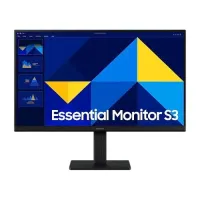
Samsung monitors are designed for users who want a combination of display quality, modern features, and versatile performance. With options for office work, home computing, entertainment, content creation, and gaming, Samsung offers monitors in different sizes, resolutions, panel technologies, refresh rates, and designs.
The Samsung monitor price in Bangladesh depends on factors such as screen size, resolution, panel technology, refresh rate, response time, connectivity, curvature, and additional features. Entry-level models can be suitable for everyday computing, while advanced Samsung monitors can offer higher resolutions, faster refresh rates, immersive curved displays, and gaming-focused technologies.
A Samsung monitor can be a practical choice for office work, study, programming, browsing, and home computing. Full HD displays can provide clear visuals for documents, spreadsheets, online classes, video meetings, and general applications.
For multitasking, a 24-inch or 27-inch Samsung monitor can provide additional workspace. Users who need an even larger working area can consider ultrawide or larger-format displays, depending on their desk space and requirements.
Samsung offers gaming monitors designed for users who want smooth visuals and responsive gameplay. Depending on the model, Samsung gaming monitors may feature high refresh rates, fast response times, adaptive-sync technologies, HDR support, QHD or 4K resolution, and gaming-specific features.
A high-refresh-rate monitor can make fast-moving gameplay appear smoother when paired with hardware capable of delivering sufficient frame rates. When choosing a Samsung gaming monitor, consider your graphics card, preferred resolution, refresh rate, and the types of games you play.
The Samsung monitor price in BD varies depending on the model and specifications. A Full HD monitor can be an affordable option for office work, study, browsing, and general entertainment, while QHD and 4K models can provide sharper visuals and more workspace.
Before buying a Samsung monitor, consider:
Screen size
Display resolution
Panel technology
Refresh rate
Response time
Brightness and contrast
Color reproduction
HDMI and DisplayPort connectivity
USB connectivity
Adaptive-sync support
HDR support
Curved or flat screen design
Ergonomic adjustment
Warranty and after-sales support
Samsung is well known for its curved monitor designs. A curved display can create a more immersive viewing experience by providing a wider field of view, particularly on larger or ultrawide screens.
Curved Samsung monitors can be suitable for gaming, entertainment, multitasking, and productivity. Before choosing one, consider the screen size, curvature, aspect ratio, resolution, and available desk space.
For users who want sharper visuals, Samsung offers monitors with QHD and 4K resolutions. QHD provides a 2560 × 1440 resolution, while 4K delivers 3840 × 2160 pixels.
A QHD Samsung monitor can offer a good balance between image quality and performance for gaming and productivity. A 4K monitor can be suitable for detailed content creation, video editing, professional applications, multimedia, and high-resolution gaming when paired with appropriate hardware.
Refresh rate determines how many times a monitor can update its image each second. Samsung offers monitors with different refresh rates for everyday computing and gaming.
Higher-refresh-rate displays can provide smoother motion, especially during fast-paced games. However, the ideal refresh rate depends on your PC's graphics performance and the games or applications you use.
Samsung monitors can also be suitable for professionals working with graphic design, photography, video editing, programming, spreadsheets, and other demanding applications.
For professional workflows, specifications such as resolution, color accuracy, panel quality, brightness, viewing angles, and connectivity should be considered. A larger or higher-resolution display can also provide additional workspace for multitasking.
Samsung monitors are available in different sizes for different types of users.
21.5-inch to 22-inch: Suitable for compact workspaces, office applications, study, and basic computing.
24-inch: A versatile choice for office productivity, browsing, education, and home use.
27-inch: Provides more workspace for multitasking, gaming, content creation, and entertainment.
32-inch and larger: Suitable for immersive gaming, multimedia, professional workflows, and users who prefer larger displays.
Ultrawide: Ideal for users who need extensive horizontal workspace or an immersive gaming experience.
The right Samsung monitor depends on your usage and budget.
For office work: Look for a comfortable screen size, suitable resolution, good viewing angles, and convenient connectivity.
For gaming: Prioritize refresh rate, response time, adaptive-sync support, and a resolution that matches your graphics card.
For creative work: Consider resolution, color accuracy, panel quality, brightness, and color coverage.
For multitasking: A 27-inch or larger QHD display or an ultrawide monitor can provide useful additional workspace.
For immersive entertainment: A larger curved or ultrawide Samsung monitor can be worth considering.
Always check the monitor's specifications and make sure your computer supports its native resolution and refresh rate.
If you are looking to buy a Samsung monitor in Bangladesh, Computer Source offers computer hardware, peripherals, and display solutions for students, home users, professionals, businesses, and gamers. You can compare available Samsung monitor models based on screen size, resolution, refresh rate, panel technology, connectivity, and current price.
Whether you need a Samsung monitor for office productivity, education, entertainment, content creation, programming, or gaming, selecting the right specifications can help you get better performance and value from your display.
Check the latest Samsung monitor price in Bangladesh at Computer Source and choose a Samsung monitor that matches your requirements, computer hardware, workspace, and budget.