CART
0
YOUR CART
A Solid State Drive (SSD) is a high-speed storage device used in desktop computers, laptops, gaming PCs, and workstations. Unlike traditional Hard Disk Drives (HDDs), SSDs use NAND flash memory and have no moving mechanical parts. They offer faster boot times, quicker application loading, improved file transfer performance, and a more responsive computing experience.
The SSD price in BD depends on several factors, including storage capacity, brand, interface, form factor, read and write speeds, PCIe generation, and memory technology. SSDs are available in different types, including 2.5-inch SATA SSDs, M.2 SATA SSDs, and M.2 NVMe SSDs. Whether you want to upgrade an older laptop, build a gaming PC, or improve your desktop performance, choosing the right SSD can make a noticeable difference.
An SSD is an excellent storage upgrade for desktop computers. It helps improve system responsiveness, reduce boot times, and load applications more quickly than a traditional HDD.
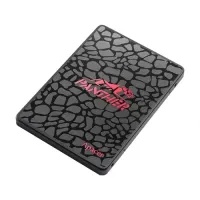
Desktop SSDs are available in different form factors and interfaces, including 2.5-inch SATA and M.2 NVMe. A 2.5-inch SATA SSD connects through SATA data and power connections, while a compatible M.2 SSD installs directly into an M.2 slot on the motherboard.
Before purchasing an SSD for your desktop PC, check your motherboard's supported interface, M.2 slot compatibility, PCIe generation, and available installation space.
Installing an SSD in a compatible laptop can improve everyday computing performance. It can help reduce startup times, open applications faster, and make file access more responsive.
Laptop SSDs are available in different sizes and interfaces, including 2.5-inch SATA and M.2 SATA or NVMe models. However, not every laptop supports all SSD types.
Before buying a laptop SSD, check:
Supported SSD form factor
SATA or NVMe compatibility
M.2 slot availability
Supported PCIe generation
Physical dimensions
Maximum supported storage capacity
Laptop manufacturer specifications
A SATA SSD is a popular storage option for users who want to upgrade an older desktop or laptop. It uses the SATA interface and is available in different capacities and form factors.
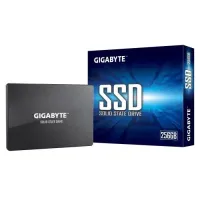
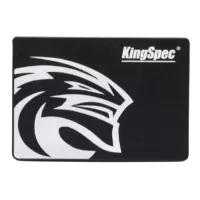
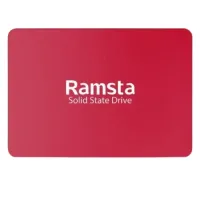
A 2.5-inch SATA SSD can replace a compatible traditional laptop or desktop hard disk. It is suitable for everyday computing, office applications, web browsing, and general file storage.
SATA SSDs are generally more affordable than high-performance NVMe models and offer broad compatibility with supported systems. However, their maximum performance is limited by the SATA interface.
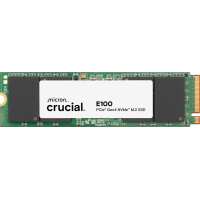
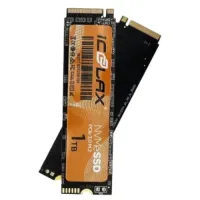
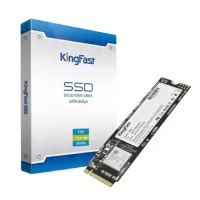
An M.2 SSD is a compact storage device designed to fit directly into a compatible M.2 slot on a motherboard or laptop. It helps save installation space and reduces the need for traditional SATA data cables.
M.2 describes the physical form factor rather than a specific storage protocol. An M.2 SSD can use either SATA or NVMe technology, depending on the model.
Before purchasing an M.2 SSD, check the supported interface, key configuration, physical size, and motherboard or laptop compatibility.
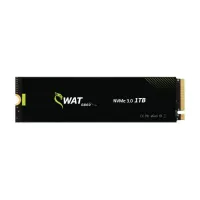
An NVMe SSD uses the PCIe interface to deliver high-speed data transfer performance. It is designed for systems that require faster storage access, application loading, and large file transfers.
NVMe SSDs are commonly available in M.2 form factors and different PCIe generations, including Gen 3, Gen 4, and Gen 5. Actual performance depends on the SSD model and the PCIe generation supported by your system.
NVMe SSDs are suitable for gaming PCs, professional workstations, content creation, multitasking, and performance-focused desktop or laptop builds.
The SSD price in BD varies depending on the storage capacity, brand, interface, form factor, read and write speeds, and PCIe generation. Entry-level SATA SSDs can be suitable for everyday computing, while high-performance NVMe SSDs are designed for demanding applications and faster data transfers.
Before purchasing an SSD, consider the following factors:
Storage capacity (128GB, 256GB, 512GB, 1TB, 2TB, and higher)
SSD type (SATA or NVMe)
Form factor (2.5-inch or M.2)
Interface compatibility
PCIe generation (Gen 3, Gen 4, or Gen 5)
Sequential read and write speeds
NAND flash memory type
Endurance rating (TBW)
DRAM or DRAM-less design
Heatsink requirements
Warranty and after-sales support
An SSD is an important component for modern gaming PCs. It can help reduce game loading times, improve system responsiveness, and provide faster access to game files.
For gaming systems, M.2 NVMe SSDs are popular because they offer higher data transfer speeds than traditional SATA drives. Depending on your motherboard and processor, you can choose from compatible PCIe Gen 3, Gen 4, or Gen 5 SSDs.
When selecting an SSD for gaming, consider storage capacity, read and write performance, compatibility, and the storage requirements of your games. A 1TB or 2TB SSD may be worth considering for users with larger game libraries.
An SSD is a practical upgrade for home and office computers. It can improve everyday tasks such as starting Windows, opening office applications, browsing the internet, managing documents, and transferring files.
For basic office and home use, a compatible SATA or NVMe SSD can provide a responsive computing experience. Choose a storage capacity based on the operating system, applications, documents, and other files you plan to store.
Video editing, graphic design, photography, and other creative workloads can involve large files and frequent data transfers. A high-performance NVMe SSD can help improve file access and project loading performance in compatible workstations.
When choosing an SSD for content creation, consider its read and write speeds, capacity, endurance rating, interface, and workload requirements.
For professional workflows, a higher-capacity SSD can provide more convenient space for active projects, software, and frequently accessed files.
Several popular brands offer SSDs for desktop computers, laptops, gaming PCs, and professional workstations.
Samsung SSD: Offers SATA and NVMe storage solutions for everyday computing and performance-focused systems.
Western Digital SSD: Provides different SSD options for desktop PCs, laptops, gaming, and professional applications.
Kingston SSD: Offers SATA and NVMe SSD models for everyday upgrades, gaming, and productivity.
Crucial SSD: Provides storage solutions for compatible desktop and laptop computers.
Transcend SSD: Offers different internal SSD options for personal and professional computing.
TeamGroup SSD: Provides SATA and NVMe storage options for desktop builds and gaming systems.
Lexar SSD: Offers SSD solutions for compatible laptops, desktops, and performance-focused PCs.
ADATA SSD: Provides different storage options, including SATA and NVMe models.
Apacer SSD: Offers storage solutions for everyday computing and system upgrades.
Always compare individual SSD models because specifications, performance, and warranty coverage can vary within the same brand.
Both HDDs and SSDs are used for computer storage, but they offer different advantages.
HDD: Uses magnetic storage technology and is suitable for users who need large storage capacity for documents, videos, games, backups, and other files.
SSD: Uses NAND flash memory and generally provides faster boot times, quicker application loading, and more responsive file access.
If you need both storage capacity and system speed, consider using an SSD for your operating system and essential applications alongside an HDD for additional storage.
The best SSD depends on your device, performance requirements, storage needs, and budget.
For office PCs: Choose a compatible SATA or entry-level NVMe SSD for everyday applications and general computing.
For older laptops: Consider a 2.5-inch SATA SSD if your laptop supports this form factor and interface.
For gaming PCs: Explore compatible M.2 NVMe SSDs with sufficient storage capacity and suitable PCIe performance.
For content creation: Consider higher-capacity NVMe SSDs with suitable read and write speeds and endurance ratings.
For compact PCs: Choose an M.2 SSD that matches your motherboard's supported form factor and interface.
For future upgrades: Consider storage capacity, PCIe generation, available M.2 slots, and compatibility with your planned system upgrades.
Always verify the manufacturer's specifications before purchasing an SSD to ensure compatibility.
If you are looking to buy an SSD in Bangladesh, Computer Source offers storage solutions for desktop users, laptop owners, gamers, professionals, and businesses. You can explore available SSD models and compare them based on brand, storage capacity, interface, form factor, read and write speeds, and current price.
Whether you need a SATA SSD for upgrading an older laptop, an M.2 NVMe SSD for a gaming PC, or a high-performance storage solution for a professional workstation, choosing the right SSD can help improve your computer's overall responsiveness.
Check the latest SSD price in BD at Computer Source and choose an SSD that matches your device, performance requirements, and budget. You can also explore Hard Disk Drives, RAM, motherboards, processors, casing, and graphics cards to complete or upgrade your PC build.