CART
0
YOUR CART
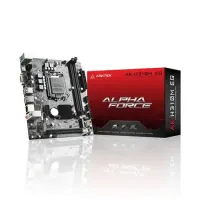
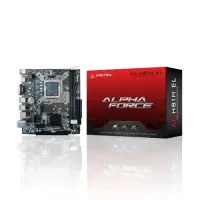
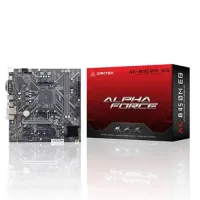
Arktek motherboards can be a practical choice for users looking for affordable PC components for desktop builds and upgrades. Designed for different computing requirements, Arktek motherboard models can be suitable for everyday office work, home computing, education, and selected budget-focused PC configurations.
The Arktek motherboard price in Bangladesh depends on the specific model, chipset, processor compatibility, RAM support, storage interfaces, expansion slots, connectivity, and other specifications. Choosing the right motherboard based on your existing or planned PC components can help create a stable and compatible system.
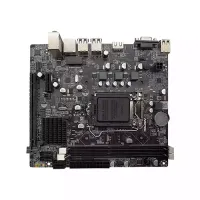
An Arktek motherboard works as the central platform of a desktop computer, connecting the processor, RAM, storage devices, graphics card, power supply, and other hardware. The motherboard determines which components can be installed and what upgrade options are available.
Before purchasing an Arktek motherboard, check the supported processor socket and CPU models. You should also consider RAM type, maximum memory capacity, storage connectivity, PCIe slots, USB ports, display outputs, and motherboard size.
For office and everyday computing, an Arktek motherboard can be considered for systems used for document editing, spreadsheets, web browsing, online learning, accounting applications, video calls, and other general tasks.
When building an office PC, choose a motherboard that provides the required CPU, RAM, storage, networking, display, and USB support without paying for features that you do not need.
The Arktek motherboard price in Bangladesh varies according to the model, processor compatibility, chipset, RAM support, storage options, expansion capabilities, form factor, and availability.
Before buying an Arktek motherboard, consider:
CPU socket and processor compatibility
Chipset
Supported processor generation
RAM type and maximum capacity
Number of RAM slots
Supported memory speed
PCIe expansion slots
M.2 or SATA storage support
USB ports
Display outputs
LAN connectivity
Audio features
Motherboard form factor
Power connector requirements
BIOS compatibility
Warranty and after-sales support
For users building a budget desktop computer, selecting a motherboard with the necessary features can help control the overall PC cost. Arktek motherboards may be suitable for configurations where affordability and essential functionality are the main priorities.
However, the motherboard should always be selected according to the processor, RAM, storage, graphics card, and other components planned for the PC.
An Arktek motherboard can be considered for selected budget gaming configurations when its specifications are compatible with the chosen processor, graphics card, RAM, and storage.
For gaming, check the motherboard's PCIe support, CPU compatibility, RAM support, storage options, and connectivity before making a purchase. A balanced PC configuration is more important than choosing a motherboard based solely on its brand or price.
If you are upgrading an existing desktop computer, an Arktek motherboard may be considered as part of a platform upgrade. However, compatibility should be checked carefully before replacing the motherboard.
Make sure the new motherboard supports your processor and RAM and fits your PC case. You should also verify compatibility with your graphics card, storage devices, power supply, and CPU cooler. A change in CPU socket or memory generation may require additional component upgrades.
Motherboards come in different sizes, and choosing the correct form factor is important for PC building. Common desktop form factors include ATX, Micro-ATX, and Mini-ITX.
ATX: Suitable for larger desktop systems requiring more expansion options.
Micro-ATX: Offers a practical balance of size, connectivity, and affordability.
Mini-ITX: Designed for compact PC builds where space is limited.
Always check the motherboard dimensions and ensure they are compatible with your selected PC case.
The best Arktek motherboard depends on your processor, intended use, PC configuration, upgrade plans, and budget.
For office PCs: Choose a model with suitable CPU, RAM, storage, display, USB, and networking support.
For budget PCs: Focus on essential features and compatibility with your selected components.
For gaming PCs: Check CPU support, PCIe expansion, graphics card compatibility, RAM support, and storage options.
For PC upgrades: Verify compatibility with your existing CPU, RAM, storage, graphics card, case, and power supply.
For future upgrades: Consider available RAM slots, storage interfaces, expansion slots, and connectivity options.
If you are looking to buy an Arktek motherboard in Bangladesh, Computer Source offers PC components and hardware for desktop builders, students, home users, businesses, and budget-conscious PC users. You can compare available Arktek motherboard models based on processor compatibility, chipset, RAM support, storage options, expansion slots, connectivity, form factor, and current price.
Whether you are building an office PC, home computer, budget gaming system, or upgrading an existing desktop, choosing a compatible motherboard is essential for creating a reliable PC configuration.
Check the latest Arktek motherboard price in Bangladesh at Computer Source and choose a model that matches your processor, RAM, storage, graphics card, PC case, upgrade requirements, and budget.