CART
0
YOUR CART
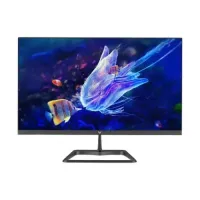

Finding the right monitor can make a big difference in your computing, gaming, design, and entertainment experience. Whether you need a display for office work, online classes, content creation, programming, or competitive gaming, there are plenty of monitor options available in Bangladesh.
The monitor price in Bangladesh depends on several factors, including brand, screen size, resolution, panel technology, refresh rate, response time, connectivity, and additional features. Entry-level monitors are suitable for everyday office tasks and browsing, while premium gaming and professional displays offer higher refresh rates, better color accuracy, higher resolutions, and advanced display technologies.
Before purchasing a monitor, consider your computer's specifications, intended usage, desk space, and budget. Comparing features and prices can help you find the best monitor for your requirements.
The monitor price in BD can range from affordable entry-level displays to premium professional and gaming monitors. Budget monitors are generally suitable for basic computing, while mid-range models offer features such as Full HD resolution, IPS panels, higher refresh rates, and HDMI connectivity.
For gaming, users may prefer monitors with refresh rates of 144Hz, 165Hz, 180Hz, 200Hz, or higher. Professionals working with graphics, video, photography, and design may prioritize resolution, color accuracy, panel quality, and wide viewing angles.
When comparing monitor prices, don't focus only on screen size. A larger monitor isn't necessarily better if it has a lower resolution or unsuitable panel technology for your work.
Gaming monitors are designed to deliver smoother motion and faster response during gameplay. The gaming monitor price in Bangladesh varies according to refresh rate, resolution, panel technology, response time, adaptive-sync support, and screen size.
For casual gaming, a Full HD monitor with a 100Hz or 120Hz refresh rate can provide a noticeable improvement over traditional 60Hz displays. Competitive gamers may prefer 144Hz, 165Hz, 180Hz, 240Hz, or even higher refresh rates.
A gaming monitor with a fast response time can help reduce visible motion blur. Features such as AMD FreeSync and NVIDIA G-SYNC can also improve the gaming experience by reducing screen tearing and stuttering when supported by compatible hardware.
LED monitors use LED backlighting to illuminate the display panel. They have become the standard for modern computer displays because they can offer a slim design, efficient power consumption, and good brightness.
LED monitors are available in different sizes and specifications, from affordable office displays to high-end gaming screens. Depending on the model, you can find Full HD, QHD, and 4K resolutions, along with IPS, VA, and other panel technologies.
For everyday computing, an affordable LED monitor can be sufficient for browsing, office applications, study, and entertainment. Users who require better color reproduction or smoother motion can choose a higher-specification model.
A desktop monitor is an essential component of a PC setup. Whether you're building a home office, business workstation, study setup, or gaming PC, choosing the appropriate display can improve productivity and comfort.
Desktop monitor prices in Bangladesh vary depending on screen size, resolution, panel type, refresh rate, and brand. A 21.5-inch or 24-inch Full HD monitor can be a practical choice for everyday office work, while 27-inch and larger displays provide additional workspace for multitasking.
For professional users, features such as height adjustment, ergonomic stands, wide viewing angles, accurate colors, and multiple connectivity options can be particularly useful.
A 100Hz monitor refreshes the displayed image up to 100 times per second. Compared with a traditional 60Hz display, a 100Hz screen can provide smoother scrolling, cursor movement, animations, and supported video or gaming content.
A 100Hz monitor can be a good middle-ground option for users who want smoother performance without necessarily purchasing a high-end gaming display. It can work well for office productivity, browsing, multimedia, and casual gaming.
When choosing one, also check its resolution, panel type, response time, brightness, ports, and adaptive-sync support rather than considering refresh rate alone.
A computer monitor displays visual information generated by a PC or other compatible device. Modern monitors are available in numerous sizes, resolutions, and panel technologies to accommodate different types of users.
Full HD remains a popular resolution for everyday computing, while QHD and 4K displays are preferred by users who want more detail and screen workspace. Gamers often look for higher refresh rates and fast response times, while designers and content creators may prioritize color accuracy and wide color coverage.
Connectivity is another important consideration. HDMI and DisplayPort are common on modern monitors, while some models also include USB ports, USB-C, speakers, or headphone connectivity.
OLED monitors use self-emissive pixels, allowing each pixel to produce its own light. This technology can provide extremely deep blacks and very high contrast, making OLED displays particularly attractive for gaming, movies, and creative work.
OLED monitors are generally positioned in the premium segment, so their prices are considerably higher than basic LCD or LED displays. They can offer excellent image quality, fast response times, and vibrant visuals.
If you're considering an OLED monitor, look at factors such as resolution, refresh rate, connectivity, warranty coverage, and the manufacturer's panel-care features.
Curved monitors feature a curved screen rather than a traditional flat panel. The curved design can create a more immersive viewing experience, particularly on larger and ultrawide displays.
The curved monitor price in Bangladesh depends on factors such as screen size, curvature, resolution, panel technology, and refresh rate.
Curved monitors are popular among gamers and users who work with large amounts of content. Ultrawide curved displays can also provide additional horizontal workspace for multitasking without requiring multiple monitors.
KOORUI monitors have become a popular option among budget-conscious PC and gaming users. The brand offers displays across different screen sizes and specifications, including high-refresh-rate gaming models.
Depending on the model, KOORUI monitors can offer features such as Full HD or QHD resolution, IPS panels, high refresh rates, fast response times, and gaming-oriented designs.
They can be worth considering for users who want modern gaming features while keeping their monitor budget under control.
Xiaomi and Redmi monitors are known for minimalist designs and competitive specifications. Their monitor lineup includes displays suitable for office work, entertainment, productivity, and gaming.
Depending on the model, Xiaomi monitors may offer Full HD or QHD resolution, IPS panels, higher refresh rates, slim bezels, and modern connectivity options.
If you want a clean-looking monitor for a modern workspace or gaming setup, Xiaomi and Redmi models can be an option to consider.
Dell offers a broad range of monitors designed for home users, businesses, professionals, and gamers. Its lineup includes basic productivity displays as well as advanced monitors with higher resolutions and professional features.
Dell monitors are commonly considered for office environments because of their ergonomic designs and productivity-focused features. Some models provide adjustable stands, multiple connectivity options, and comfortable viewing characteristics.
Dell also offers gaming-oriented displays under its Alienware brand, targeting users who want high refresh rates, fast response times, and gaming-focused technologies.
HP monitors are available in different sizes and configurations for office work, home computing, education, entertainment, and gaming.
Many HP displays focus on productivity and everyday use, while selected models provide higher refresh rates and gaming-oriented specifications. Depending on the model, you can find Full HD, QHD, IPS, high-refresh-rate, and other configurations.
When buying an HP monitor, compare screen size, resolution, refresh rate, panel type, ports, and warranty to find the model that matches your requirements.
LG produces monitors for a wide range of applications, including office productivity, gaming, content creation, and entertainment.
LG's monitor lineup includes Full HD, QHD, 4K, ultrawide, curved, and gaming displays. Some models focus on color accuracy and professional workflows, while gaming models may offer high refresh rates, fast response times, and adaptive-sync technologies.
An LG monitor can be a suitable choice if you need a display for productivity, multimedia, design, or gaming.
Samsung is one of the major display manufacturers and offers monitors for both everyday users and professionals. Its lineup includes flat and curved displays with different resolutions, screen sizes, and panel technologies.
Samsung also offers gaming monitors featuring high refresh rates and fast response times. Its premium displays may include advanced technologies designed to improve contrast, color reproduction, and overall image quality.
When purchasing a Samsung monitor, compare the display specifications with your intended usage to determine whether the additional features justify the price.
Walton is a Bangladeshi electronics brand offering monitors for local consumers. Its displays can be an attractive option for users looking for affordable solutions for everyday computing.
Walton monitors are available in different screen sizes and specifications for home, office, education, and general computing. Local availability and service support can also be important considerations when purchasing electronics in Bangladesh.
A 24-inch monitor is one of the most practical choices for everyday PC users. Its size provides a comfortable balance between screen space and desk requirements.
A 24-inch Full HD IPS monitor can be suitable for office applications, web browsing, programming, online learning, multimedia, and casual gaming.
For gamers, a 24-inch display with a high refresh rate can be particularly useful because the screen can fit comfortably within the user's field of view while providing smooth gameplay.
A 27-inch monitor provides more screen space than a typical 21.5-inch or 24-inch display. It can be useful for multitasking, gaming, photo editing, video editing, and general productivity.
At this size, QHD resolution can provide a sharper image and more workspace than Full HD. However, Full HD 27-inch monitors are also available at more affordable prices.
The 27-inch monitor price in Bangladesh depends heavily on resolution, refresh rate, panel technology, and brand.
A 32-inch monitor offers a large viewing area and can be useful for gaming, entertainment, editing, and multitasking.
At this screen size, QHD and 4K resolutions are commonly considered because they provide better pixel density than lower-resolution displays. A 32-inch monitor can also be useful for users who want a large single-screen workspace.
Before purchasing, make sure your desk has enough depth and that your computer hardware can comfortably handle the monitor's native resolution.
A 2K monitor generally refers to a QHD display with a resolution of 2560 × 1440 pixels. It provides noticeably more detail and workspace than Full HD 1920 × 1080 displays.
QHD monitors are popular among gamers, designers, programmers, and professionals who want sharper visuals without moving all the way to 4K.
For gaming, a 2K monitor paired with a suitable graphics card can provide an excellent combination of image quality and performance.
A 4K monitor provides a resolution of 3840 × 2160 pixels, offering four times the pixel count of Full HD.
The additional detail can be particularly beneficial for photo editing, video production, graphic design, professional applications, and high-quality multimedia. A 4K display can also provide more usable workspace when applications support high-resolution scaling.
However, gaming at 4K generally requires a more powerful graphics card, especially when targeting high refresh rates.
Resolution describes the number of pixels displayed horizontally and vertically. Higher resolution generally means more image detail, although viewing distance, screen size, software scaling, and content quality also affect the perceived result.
Common monitor resolutions include:
HD: 1366 × 768
Full HD: 1920 × 1080
QHD / 2K: 2560 × 1440
4K UHD: 3840 × 2160
8K: 7680 × 4320
For everyday office tasks, Full HD is often sufficient. QHD can be a strong choice for productivity and gaming, while 4K is better suited to users who prioritize high detail and professional workflows.
The panel technology has a major effect on a monitor's colors, contrast, viewing angles, and response characteristics.
IPS panels are known for wide viewing angles and generally strong color reproduction. They are popular for office work, content creation, photo editing, and gaming.
VA panels typically provide stronger contrast and deeper blacks than many traditional IPS displays. They can be a good choice for movies, gaming, and general multimedia use.
TN panels have traditionally been associated with fast response times and high refresh rates. Although newer IPS and other technologies have become increasingly competitive, TN can still be found in some performance-oriented displays.
OLED panels can provide extremely deep blacks, excellent contrast, and very fast pixel response. They are generally more expensive and are positioned toward premium users.
Refresh rate indicates how many times a monitor can update its image each second and is measured in Hertz (Hz).
Common refresh rates include:
60Hz – Basic computing and office work
75Hz – Everyday use with smoother motion
100Hz – Productivity, entertainment, and casual gaming
120Hz – Smooth general use and gaming
144Hz – Popular for gaming
165Hz – Competitive and enthusiast gaming
180Hz – High-refresh-rate gaming
240Hz+ – Competitive gaming and performance-focused setups
A higher refresh rate can make movement feel smoother, but the actual benefit also depends on whether your PC can produce enough frames per second.
Users with a very limited budget can find basic monitors in Bangladesh for under ৳5,000, although options in this price range are generally designed for essential computing rather than modern gaming.
Budget monitors may feature smaller screen sizes, basic resolutions, 60Hz refresh rates, and limited connectivity. They can be suitable for simple office applications, browsing, educational tasks, or replacing an old display.
If your budget allows, increasing your spending can provide access to larger screens, Full HD resolution, IPS panels, HDMI connectivity, and better overall image quality.
A vertical monitor is positioned in portrait orientation instead of the traditional landscape layout. Many monitors with pivot-supporting stands can be rotated 90 degrees for this purpose.
Vertical displays can be useful for:
Programming and coding