CART
0
YOUR CART
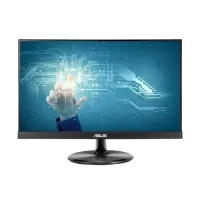
A Touch Screen Monitor combines the functionality of a traditional computer display with touch-based interaction, allowing users to control compatible applications directly by tapping, swiping, or using other supported touch gestures. These monitors can be useful for retail counters, offices, educational environments, kiosks, presentations, creative work, and interactive applications.
The touch screen monitor price in Bangladesh depends on factors such as screen size, resolution, touch technology, panel type, connectivity, brightness, response time, and additional features. Compact models can be suitable for space-limited workstations, while larger touch displays can provide a more convenient interactive workspace.
Touch screen monitors can be useful in business environments where quick and direct interaction is important. They can be used for point-of-sale systems, information kiosks, reception desks, inventory applications, customer-facing displays, and other interactive setups.
Depending on the application, users should consider screen size, touch accuracy, durability, connectivity, and compatibility with the software or operating system being used.
A touch screen monitor can add another method of interaction to an office workstation. Users can interact directly with supported applications while still using a keyboard and mouse when preferred.
Touch displays can be useful for presentations, collaborative work, digital forms, document viewing, and interactive applications. Before purchasing, check whether your computer and operating system support the monitor's touch functionality.
The touch screen monitor price in BD varies according to the model and specifications. Higher-resolution displays, larger screens, advanced touch technologies, better brightness, and additional connectivity options can increase the overall price.
Before purchasing a touch screen monitor, consider:
Screen size
Display resolution
Touch technology
Touch accuracy and responsiveness
Panel type
Brightness and contrast
HDMI, DisplayPort, or USB connectivity
Number of supported touch points
Viewing angles
Stand and mounting options
Operating system compatibility
Warranty and after-sales support
Interactive displays can be useful in educational environments for presentations, demonstrations, digital learning materials, and collaborative activities. A touch screen allows users to interact directly with supported content instead of relying exclusively on a mouse or keyboard.
For educational use, screen size, viewing angle, touch responsiveness, durability, and connectivity are important considerations.
Touch screen monitors are commonly considered for retail and point-of-sale environments because they can provide direct interaction with compatible POS software. Employees can select products, navigate menus, and perform supported tasks directly on the screen.
For commercial applications, it is important to choose a monitor that is compatible with the required POS system and offers the necessary ports and mounting options.
A touch-enabled display can also be useful for creative applications when the software supports touch interaction. Designers and other creative users can use touch gestures for navigation, selection, zooming, and other supported functions.
For creative workflows, consider resolution, color reproduction, panel quality, touch responsiveness, and compatibility with the software you use.
Touch screen monitors are available in different screen sizes for various applications.
15-inch to 19-inch: Suitable for POS systems, kiosks, compact workstations, and business applications.
21.5-inch to 24-inch: A versatile range for offices, education, interactive applications, and general computing.
27-inch and larger: Suitable for presentations, creative work, collaborative environments, and larger interactive workspaces.
The ideal size depends on your available space, viewing distance, software requirements, and intended use.
Choosing the right touch screen monitor depends primarily on how you plan to use it.
For POS and retail: Focus on touch responsiveness, durability, connectivity, and software compatibility.
For office work: Consider screen size, resolution, ergonomics, and connectivity.
For education: Look for a suitable screen size, wide viewing angles, responsive touch, and easy connectivity.
For creative applications: Prioritize resolution, color quality, touch responsiveness, and software compatibility.
For interactive kiosks: Consider mounting options, durability, screen brightness, and long-term usability.
Always verify that the touch functionality is compatible with your computer, operating system, and intended software before purchasing.
If you are looking to buy a Touch Screen Monitor in Bangladesh, Computer Source offers computer hardware, peripherals, and display solutions for home users, businesses, educational institutions, retail environments, and professionals. You can compare available touch screen monitor models based on screen size, resolution, touch technology, connectivity, and current price.
Whether you need a touch screen monitor for office work, retail, POS systems, education, presentations, creative applications, or interactive projects, choosing the right specifications can help ensure a better user experience.
Check the latest touch screen monitor price in Bangladesh at Computer Source and choose a model that matches your application, workspace, compatibility requirements, and budget.