CART
0
YOUR CART
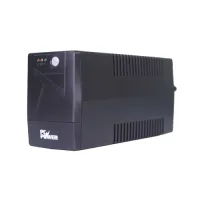
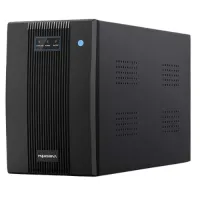
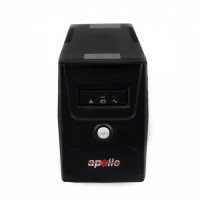
A UPS is an important power backup device that helps keep computers and other electronic equipment running during power interruptions. It can provide temporary backup power and help protect connected devices from certain power-related issues. UPS systems are commonly used with desktop PCs, monitors, networking equipment, CCTV systems, and office electronics.
The UPS price in BD varies depending on capacity, battery type, backup performance, output configuration, brand, and additional features. From compact UPS units for home computers to higher-capacity models for offices and demanding setups, users can choose a suitable option according to their power requirements and budget.
A UPS provides backup power when the main electricity supply is interrupted. This can give users time to save their work and safely shut down computers and other connected equipment. Depending on the model, a UPS may also provide protection against certain voltage fluctuations and electrical disturbances.
When choosing a UPS, consider the total power consumption of your connected devices, required backup duration, UPS capacity, battery type, output waveform, number of outlets, and warranty.
A computer UPS is designed to provide temporary backup power for desktop computers, monitors, routers, and other essential accessories. It can be particularly useful in areas where power interruptions occur frequently.
Before purchasing a UPS for a computer, calculate the approximate power requirement of your PC and monitor and choose a UPS with suitable capacity. Gaming PCs and high-performance workstations may require higher-capacity UPS systems than basic office computers.
An online UPS continuously supplies power to connected equipment through its power conversion system. This type of UPS can provide a stable power supply and is commonly considered for servers, networking equipment, professional workstations, and other sensitive electronics.
Online UPS systems can be more expensive than basic backup UPS models, so users should consider their equipment requirements and budget before purchasing.
An offline UPS, also known as a standby UPS, normally supplies power directly from the main electricity source and switches to battery backup when a power interruption occurs. These UPS systems are commonly used for desktop computers and other everyday electronic devices.
They can be a practical choice for home and office users who need basic backup power at a relatively affordable price.
A line-interactive UPS can regulate certain variations in input voltage while also providing battery backup during power outages. This makes it a popular option for computers, networking equipment, office devices, and other electronics.
When choosing a line-interactive UPS, consider capacity, voltage regulation, battery backup time, output waveform, and connected load.
The UPS price in BD depends on its capacity, brand, battery specifications, technology, backup time, output type, and features. Entry-level models can be suitable for basic computers, while higher-capacity UPS systems are designed for gaming PCs, workstations, servers, networking equipment, and larger loads.
Before buying a UPS, consider:
UPS capacity
Total connected load
Expected backup time
Battery type
Output waveform
Voltage regulation
Number of outlets
Charging time
Overload protection
Short-circuit protection
Surge protection
Display or status indicators
Replacement battery availability
Warranty and after-sales support
A UPS for gaming PC can provide temporary power backup for a gaming computer and monitor during an outage. Since gaming PCs can consume significantly more power than basic office computers, it is important to select a UPS with sufficient capacity for the complete setup.
Before purchasing, check the power consumption of the gaming PC, monitor, and other connected accessories. A suitable capacity can provide enough backup time to save work and shut down the system safely.
UPS systems are useful for office computers, routers, networking equipment, printers, and other essential electronics. A suitable UPS can help maintain productivity during short power interruptions and provide users with time to safely shut down equipment.
For offices, consider the number of devices that need backup, their combined power consumption, desired backup duration, and available electrical outlets.
A UPS can also provide backup power for routers, network devices, and other communication equipment. Keeping networking equipment powered during a short outage can help maintain connectivity for supported devices.
For networking applications, choose a UPS based on the power requirements and connector compatibility of the equipment.
The best UPS depends on your equipment, total power requirement, desired backup time, and budget.
For a basic desktop PC: Choose a UPS with enough capacity for the computer and monitor.
For a gaming PC: Consider a higher-capacity model based on the total power consumption of the gaming setup.
For office use: Focus on capacity, backup duration, voltage regulation, and reliability.
For networking equipment: Check power requirements and connector compatibility.
For sensitive equipment: Consider UPS technology, output waveform, voltage regulation, and other power-quality features.
If you are looking to buy a UPS in Bangladesh, Computer Source offers computer accessories and power backup solutions for home users, gamers, students, professionals, offices, and businesses. You can compare UPS models based on capacity, battery type, backup time, technology, output configuration, features, warranty, and current price.
Whether you need a UPS for a desktop PC, gaming computer, office setup, router, networking equipment, or other compatible electronics, choosing the right capacity and features can help provide dependable backup power when you need it.
Check the latest UPS price in Bangladesh at Computer Source and choose a model that matches your equipment's power requirements, expected backup duration, and budget.


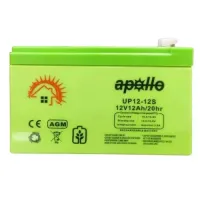
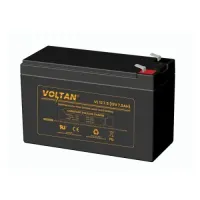
-200x200.webp "KSTAR 6-FM-7 Rechargeable 12V-8.5AH UPS Battery")