CART
0
YOUR CART
ASUS motherboards are designed for users who want a reliable foundation for desktop PCs, gaming systems, workstations, and performance-focused builds. ASUS offers motherboards across different chipsets, CPU platforms, form factors, and feature levels, making it possible to choose a model according to your processor, PC requirements, and budget.
The ASUS motherboard price in Bangladesh depends on the model, chipset, CPU socket, RAM support, expansion slots, storage options, power delivery, networking features, and other specifications. Entry-level ASUS motherboards can be suitable for everyday computing, while advanced models are designed for gaming, content creation, and demanding PC configurations.
An ASUS motherboard connects the major components of a desktop computer, including the processor, RAM, graphics card, storage drives, and other peripherals. The motherboard you choose determines which CPU, memory, storage, and expansion hardware can be installed in your system.
Before buying an ASUS motherboard, check compatibility with your processor and RAM. It is also important to consider the motherboard's CPU socket, chipset, form factor, PCIe slots, M.2 slots, USB ports, and networking options.
ASUS offers gaming motherboards with features designed for performance-oriented PC builds. Depending on the model, an ASUS gaming motherboard may include advanced power delivery, high-speed memory support, PCIe expansion, multiple M.2 slots, improved cooling, fast networking, and customizable RGB lighting.
For a gaming PC, choose a motherboard that matches your CPU and graphics card while providing the expansion and connectivity features you actually need.
The ASUS motherboard price in BD varies depending on the chipset, processor socket, motherboard series, features, form factor, and availability. Budget models can provide essential connectivity for everyday PCs, while higher-end gaming and enthusiast motherboards may offer additional expansion, networking, cooling, and customization features.
Before purchasing an ASUS motherboard, consider:
CPU socket compatibility
Chipset
Supported processor generation
RAM type and maximum capacity
Number of RAM slots
Supported memory speeds
PCIe expansion slots
M.2 NVMe slots
SATA ports
USB connectivity
LAN and Wi-Fi support
Bluetooth support
Audio features
VRM and power delivery
Motherboard form factor
BIOS features
Warranty and after-sales support
ASUS offers motherboards for compatible Intel processors across different performance categories. Depending on the chipset and model, these motherboards can support specific Intel processor generations, memory technologies, and expansion features.
If you are building an Intel-based PC, verify the ASUS motherboard's CPU socket, chipset, BIOS support, and processor compatibility before purchasing.
ASUS also offers motherboards designed for compatible AMD processors. These models can be suitable for mainstream desktop PCs, gaming systems, and high-performance builds.
Before purchasing an ASUS AMD motherboard, check the processor socket, chipset, BIOS compatibility, supported RAM, and other specifications to ensure your selected components work together correctly.
A gaming motherboard should provide the features needed by your CPU, GPU, RAM, and storage devices. Depending on the ASUS model, you may find multiple M.2 slots, PCIe expansion, high-speed RAM support, fast LAN or Wi-Fi, USB connectivity, and enhanced cooling features.
A more expensive motherboard does not automatically improve gaming performance. It is better to choose an ASUS motherboard based on compatibility, required features, and your overall PC configuration.
ASUS motherboards are available in common desktop form factors, including ATX, Micro-ATX, and Mini-ITX.
ATX: Suitable for larger gaming PCs and workstations that require more expansion slots and connectivity.
Micro-ATX: Provides a balance between compact size, features, and affordability for many desktop builds.
Mini-ITX: Designed for compact PC systems where space is limited.
Make sure the motherboard form factor is compatible with your PC case before purchasing.
Selected ASUS motherboards come with built-in Wi-Fi and Bluetooth, allowing users to connect to wireless networks and compatible devices without installing separate adapters.
If wireless connectivity is important for your setup, check the specific motherboard's Wi-Fi standard, Bluetooth support, antenna configuration, and networking specifications.
An ASUS motherboard can be an option when upgrading an existing desktop PC, but motherboard compatibility should be carefully checked before purchase.
Make sure your processor, RAM, graphics card, storage devices, PC case, power supply, and CPU cooler are compatible with the new motherboard. Moving to a newer CPU platform or memory generation may require additional component upgrades.
The best ASUS motherboard depends on your processor, intended use, PC case, upgrade plans, and budget.
For office PCs: Choose a reliable ASUS motherboard with the required CPU, RAM, storage, USB, and networking support.
For gaming PCs: Look for suitable CPU support, PCIe expansion, M.2 storage, high-speed RAM support, and adequate power delivery.
For content creation: Consider additional RAM capacity, multiple storage options, expansion slots, and reliable connectivity.
For compact PCs: Choose a compatible Micro-ATX or Mini-ITX model based on your case and component requirements.
For future upgrades: Consider the number of RAM slots, M.2 slots, PCIe expansion options, and connectivity available on the motherboard.
If you are looking to buy an ASUS motherboard in Bangladesh, Computer Source offers PC components and hardware for gamers, desktop builders, professionals, businesses, and home users. You can compare ASUS motherboards based on chipset, CPU socket, RAM support, expansion slots, storage connectivity, networking features, form factor, and current price.
Whether you are building a gaming PC, office computer, workstation, or upgrading an existing desktop, selecting the right ASUS motherboard can provide a solid foundation for your system.
Check the latest ASUS motherboard price in Bangladesh at Computer Source and choose a motherboard that matches your processor, RAM, graphics card, storage, PC case, upgrade requirements, and budget.


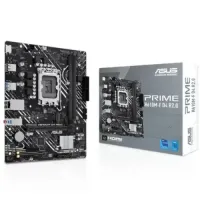

-200x200.webp "Asus EX-B650M-V7 AM5 AMD micro-ATX Motherboard")