CART
0
YOUR CART
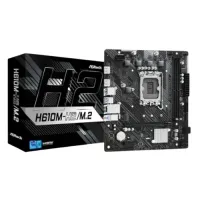
A motherboard is one of the most important components of a desktop computer. It provides the main platform that connects the processor, RAM, storage, graphics card, power supply, and other hardware components. Choosing the right motherboard is essential when building or upgrading a PC because it determines which processors, memory, storage devices, expansion cards, and other components can be supported.
The motherboard price in BD depends on factors such as the chipset, CPU socket, motherboard size, RAM support, expansion slots, storage connectivity, power delivery, networking features, and additional technologies. Entry-level motherboards can be suitable for basic office and home PCs, while higher-end models are designed for gaming, content creation, and performance-focused builds.
A motherboard acts as the central connection point for the components inside a desktop computer. It allows the CPU, memory, storage, graphics card, and peripherals to communicate with each other.
When choosing a motherboard, compatibility should be one of the first considerations. The motherboard must support your processor's socket and chipset requirements, while its RAM slots, storage interfaces, and expansion slots should match the components you plan to install.
Intel-compatible motherboards are designed to work with supported Intel desktop processors. Different motherboard chipsets and CPU sockets support different processor generations and features.
Before buying an Intel motherboard, check the exact processor model, socket, chipset, supported BIOS version, RAM compatibility, and other specifications. This is particularly important when building a new PC or upgrading an existing system.
AMD motherboards are designed for compatible AMD processors and are available in different chipsets and form factors. Depending on the model, an AMD motherboard can support features such as high-speed DDR memory, multiple storage devices, PCIe expansion, Wi-Fi, and advanced power delivery.
If you are building an AMD-based PC, make sure the motherboard socket and chipset are compatible with your selected processor before purchasing.
The motherboard price in BD varies depending on the chipset, brand, socket, features, form factor, and available connectivity. Basic motherboards can be suitable for budget-friendly office or home computers, while gaming and enthusiast models generally include more advanced features.
Before purchasing a motherboard, consider:
CPU socket compatibility
Chipset
RAM type and maximum supported capacity
RAM speed support
Number of RAM slots
PCIe expansion slots
M.2 NVMe support
SATA ports
USB ports
LAN and Wi-Fi connectivity
Audio features
Motherboard form factor
VRM and power delivery
BIOS features
Warranty and after-sales support
A gaming motherboard should provide the features needed to support your chosen processor, graphics card, memory, and storage devices. Depending on your PC build, you may want features such as multiple M.2 slots, PCIe expansion, high-speed RAM support, fast networking, USB connectivity, and suitable power delivery.
A more expensive motherboard does not automatically make a gaming PC faster. Instead, choose a model that provides the features and compatibility required by your CPU, GPU, RAM, and other components.
For basic office and home computers, an entry-level motherboard can provide all the necessary connections for everyday hardware. Depending on the system, you may need support for integrated graphics, multiple USB devices, SATA storage, M.2 SSDs, and standard networking.
Choosing a motherboard according to your actual requirements can help keep the overall PC-building cost under control.
Gaming motherboards generally offer additional features designed for performance-oriented PC builds. Depending on the model, they may include stronger power delivery, better cooling solutions, multiple PCIe slots, high-speed memory support, RGB headers, advanced BIOS controls, and faster networking.
However, the right gaming motherboard depends on the processor and other components in your build. Compatibility and required features should be prioritized over unnecessary extras.
Motherboards are available in different sizes, with ATX, Micro-ATX, and Mini-ITX being common desktop form factors.
ATX: Offers more expansion slots and connectivity and is suitable for larger gaming and workstation builds.
Micro-ATX: Provides a balance between features and size, making it suitable for many mainstream desktop PCs.
Mini-ITX: Designed for compact PC builds where space is limited.
Make sure your motherboard form factor is compatible with your PC case before purchasing.
Some modern motherboards include built-in Wi-Fi and Bluetooth, which can be convenient for users who do not want to install separate wireless adapters.
If wireless connectivity is important to your setup, check the motherboard's supported Wi-Fi standard, Bluetooth version, antenna configuration, and networking specifications.
If you are upgrading an existing computer, motherboard compatibility is especially important. Check whether the new motherboard supports your processor, RAM, graphics card, storage devices, PC case, and power supply.
For a complete platform upgrade, you may need to replace multiple components, particularly when moving to a newer CPU socket or memory standard.
The best motherboard depends on your processor, PC requirements, and budget.
For office PCs: Choose a reliable motherboard with the necessary CPU, RAM, storage, USB, and networking support.
For gaming PCs: Look for suitable CPU support, PCIe expansion, M.2 storage, high-speed RAM support, and appropriate power delivery.
For content creation: Consider additional RAM capacity, multiple storage options, expansion slots, and reliable connectivity.
For compact PCs: Choose a Mini-ITX or Micro-ATX motherboard that matches your case and component requirements.
For future upgrades: Consider a motherboard with enough RAM slots, M.2 slots, expansion options, and connectivity for your planned upgrades.
If you are looking to buy a motherboard in Bangladesh, Computer Source offers a wide range of PC components for desktop builders, gamers, professionals, businesses, and home users. You can compare motherboards based on brand, chipset, CPU socket, RAM support, expansion slots, storage connectivity, networking features, and current price.
Whether you are building a gaming PC, office computer, workstation, or upgrading an existing desktop, choosing the right motherboard can help ensure compatibility and provide a solid foundation for your system.
Check the latest motherboard price in BD at Computer Source and choose a motherboard that matches your processor, RAM, PC case, storage, graphics card, upgrade plans, and budget.




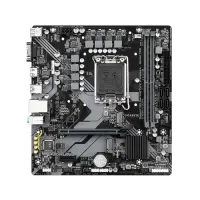
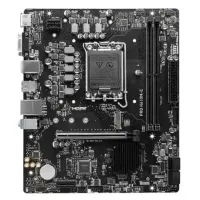
-Intel-DDR4-Micro-ATX-Motherboard-200x200.webp "GIGABYTE H610M K (2.0) Intel DDR4 Micro ATX Motherboard")